Manual.ly Logo

Pico Interactive Neo 3 Link Toriatsukai-Setsumeisho

0.0 · 0 評価

PDFマニュアル · 57 ページ

日本語

M: OA-GPT-5-NAN
ページ

/ 57

Loading...
d339a53343b762792cd15d5dadec7421c342 page 2
01 02
ENEN
In The Box:
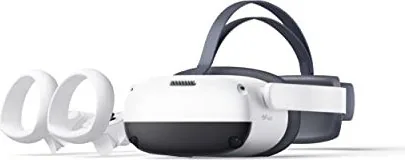
VR Headset / 2 Controllers / 4 1.5V AA Alkaline Batteries / DisplayPort Cable / Glasses Spacer / Nose Pad / 2 Controller Lanyards / AC Adapter
/ USB-C 2.0 Data Cable / Screwdriver / MiniDP Adapter / User Guide / Safety and Warranty Guide / DisplayPort Cable Connection Guide
*Product and packaging are updated regularly, and the functions and contents of the standalone headset may be upgraded in the future. Therefore, the content, appearance and
functionality listed in this manual and product packaging are subject to change and may not reect the nal product. These instructions are for reference only.
*Carefully read this user guide before using the product and share this information with any other users, as it contains important safety information. Keep the user guide as reference
for the future.
Important Health & Safety Notes
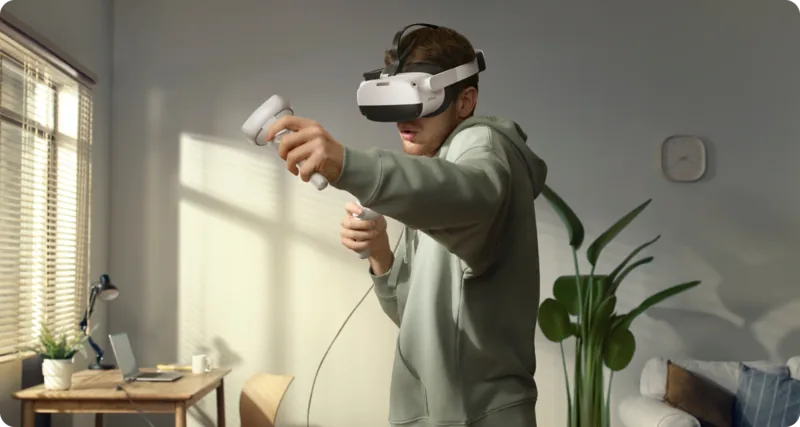
This product is designed and intended to be used in an open and safe indoor area, free of any tripping or slipping hazards. To avoid
accidents, remain conscious to the potential connes of your physical area and respect the boundary of your virtual area whenever you
see it. Be sure to wear the lanyard when using the Controllers. Make sure that there is enough space around your head and body (at least
2 meters by 2 meters) to stretch your arms to avoid damage or injury to yourself, others, and your surroundings.
This product is not recommended for children that are 12 years of age and younger. Teenagers over 12 years old should only use this product
under adult supervision.
This product is designed to accommodate most prescription glasses. Take care to wear the VR Headset in a manner in which the VR Headset lenses
do not rub or impact your prescription lenses.
Prolonged use may cause dizziness or eye fatigue. It is recommended that you take a break every 30 minutes. You may be able to relieve eye strain
by watching distant objects. If you feel any discomfort, please stop using the product immediately. If the discomfort persists, please seek medical
attention.
Do not expose the optical lenses to direct sunlight or other strong light sources. Exposure to direct sunlight may cause permanent yellow spot
damage on the screen. Screen damage caused by sunlight exposure or other strong sources of light is not covered by the warranty.
To reduce the risk of discomfort, the inter-pupillary distance (IPD) should be appropriately set for each user.
This product has an “Eye Protection Mode”, certied by TÜV Rheinland (Germany), which can protect your eyes by reducing blue light in the three
color channels using software algorithms. The screen appears yellowish in this mode and you can turn this feature on/off in "Settings"►"Display"
►“Eye Protection”.
Protect optical lenses during use and storage to prevent damage, such as scratches or exposure to strong light or direct sunlight.
∙
∙
∙
∙
∙
∙
∙
∙
6 Degrees of Freedom VR
The device can track your translational and rotational movements in all directions (up/down, left/right, forward/backward, pitch, roll, and yaw).
Your movements in the real world will be captured and translated to what you see in the virtual world when using the appropriate content.
Ensure a safe environment before you start your VR experience.
1. Clear a safe indoor area of at least 2 meters by 2 meters. Keep the
room bright, prevent to use the space with big and single color walls,
glass, mirrors and moving pictures or objects.
2. Remove the protective lm that covers the headset front cameras.
Wear the lanyard connected to the Controllers.
3. Set up your environment by following instructions on the VR Head-
set screen.
This product can not guarantee your safety
with guardian system, you will need always pay
attention to the surrounding safety.
2m
2m

AIを使用して Pico Interactive Neo 3 Link のマニュアルとチャットする

Pico Interactive Neo 3 Link のマニュアルからAIによる即時回答を取得

Pico Interactive Neo 3 Linkに関する質問なら何でもどうぞ。回答はこのマニュアルから提供され、根拠となるページも表示されます。

Neo 3 Link メンテナンススケジュール

30分ごと
使用中に休憩する

めまいや目の疲れを軽減するため、30分ごとに休憩を取ってください。遠くを見ることで目の疲れを和らげます。

マニュアルに表示 (2ページ)
必要に応じて
フェイスクッションを交換する

古いフェイスクッションを引き抜いて取り外し、新しいもののピンを縁のすき間に挿入します。

マニュアルに表示 (8ページ)
M: QW-35-FL

質問を<\/span>する<\/span><\/span>

0/1000

Neo 3 Link をおすすめしますか?

はい いいえ

よくある 質問

A

Neo 3 Linkは、インサイドアウトトラッキング、モーションコントローラー、および専用のPC VR DPケーブルを使用したオプションのPC VR接続を備えた没入型のスタンドアロン6DoF VRヘッドセットです。

この回答は役に立ちましたか?

A

ヘッドセットのUSB-Cインターフェースは標準のDisplayPortではありません。PCに接続するには、カスタマイズされたPC VR DisplayPort(DP)ケーブルまたはパッケージと接続ガイドに記載されている付属のDisplayPortアクセサリー/アダプターが必要です。

この回答は役に立ちましたか?

A

IPDは58 mm、63.5 mm、69 mmの3段階で調整できます。両方のレンズを内側または外側に動かして画像が最も鮮明になる位置に合わせます。ストラップダイヤル、着脱式フェイスクッション、眼鏡スペーサー、鼻パッドを使用してフィットを微調整してください。

この回答は役に立ちましたか?

A

アイプロテクションモードは色チャネル全体でブルーライトを低減して目の疲れを軽減し、TÜV Rheinland認証を受けています。有効にすると画面はより暖かい/黄色みを帯びた表示になります;設定 → ディスプレイ → アイプロテクションで切り替え可能です。

この回答は役に立ちましたか?

A

ヘッドセットで設定 → コントローラー → コントローラーを追加に進んでください。コントローラーでHOME + TRIGGERを押し続け、赤/青のライトが交互に点滅したら画面の指示に従ってペアリングします。

この回答は役に立ちましたか?

A

少なくとも2×2メートルの十分に広い室内スペースを使用し、コントローラーのストラップを着用し、目の疲れを避けるために30分ごとに休憩を取り、レンズを直射日光にさらさないでください。年少のユーザーは監督が必要です。

この回答は役に立ちましたか?

A

ヘッドセットをリセットするには、電源ボタンを10秒以上押して再起動します。コントローラーはボタンが反応しない場合、バッテリーを取り外して再挿入して再起動します。

この回答は役に立ちましたか?

M: OA-GPT-5-NAN

利点 および 欠点

利点

  • 完全な平行移動と回転のための6DoFインサイドアウトトラッキング。
  • 調節可能なストラップ、着脱式フェイスクッション、眼鏡スペーサーを備えた快適性重視のデザイン。
  • ブルーライトと目の疲れを低減するTÜV Rheinland認証のアイプロテクションモード。
  • すぐに使用できる完全なアクセサリーキット(コントローラー、ケーブル、アダプター、鼻パッド、ストラップ)。
  • 簡単なコントローラーペアリング、ファームウェア更新インジケーター、バックアップナビゲーション用のヘッドコントロールモード。
VS

短所

  • USB-Cポートは標準のDisplayPortではない — PCリンクには特殊なPC VR DPケーブルが必要。
  • 内蔵の近視(度数)調整なし;必要な場合は処方眼鏡を着用する必要があります。
  • 直射日光への曝露により画面が永久的な黄色いスポットで損傷する可能性がある(保証対象外)。
  • 3段階のみの離散IPDは、すべてのユーザーの瞳孔間距離に完全に一致しない場合がある。
  • 若年の子供は推奨ユーザーではない;推奨年齢未満のティーンは監督が必要。
M: OA-GPT-5-NAN

製品 仕様

解像度

1x 3664x1920 (片目あたり1832x1920)

視野角

208.4°F (水平), 194°F (垂直)

リフレッシュレート

90Hz

パネル

LCD

トラッキング

6 DoF (インサイドアウト, 4カメラ), ハンドトラッキング

インターフェース

USB-C, Bluetooth 5.1, Wi-Fi 6 (WLAN 802.11a/b/g/n/ac/ax)

特徴

3D対応, 畳撮間距離調整 (58-69mm, ハードウェア独自, 手動), パススルー, 内蔵マイク, 内蔵スピーカー, スタンドアロングバッテリー, バッテリー駆動 (5300mAh)

重量

395g

M: GO-GEM-FL-25

製品 説明

Pico Interactive Neo 3 Link — 便利なガイドと概要

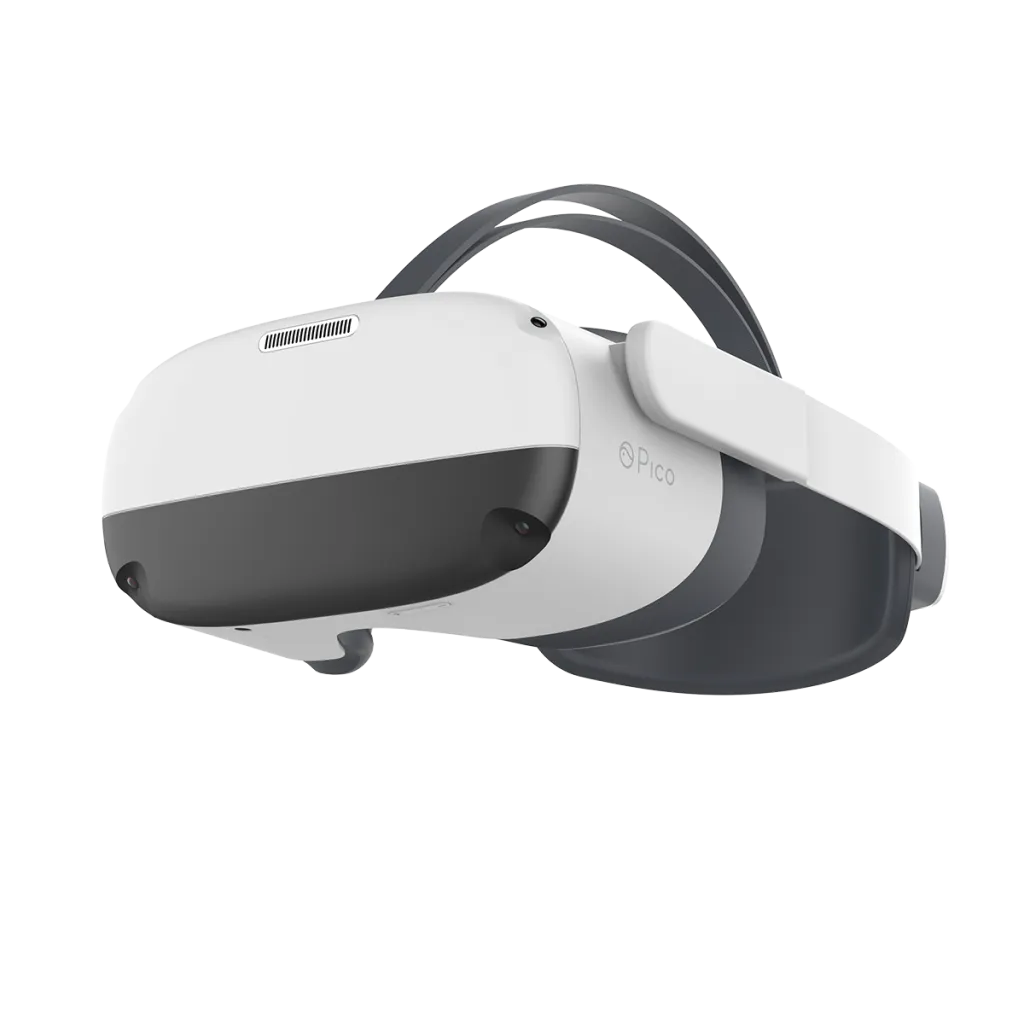
Pico Interactive Neo 3 Linkは、インサイドアウトトラッキング、快適なエルゴノミクスを備え、カジュアルから上級者までに適した機能セットを提供する多用途のスタンドアロン6DoF VRヘッドセットです。2つのモーションコントローラー、バッテリー、DisplayPortアクセサリー、眼鏡スペーサー、鼻パッド、ストラップ、ACアダプター、USB-Cケーブルおよびアダプターを含む完全なキットにより、箱から出してすぐにVRセッションや専用DPケーブルによるPC VRリンクが可能です。

デザインと快適性

Neo 3 Linkは快適性を重視しています:調節可能なストラップダイヤル、着脱式フェイスクッション、処方眼鏡(フレーム幅 < 160 mm)対応によりフィットしやすくなっています。IPD(瞳孔間距離)は3段階(58 mm、63.5 mm、69 mm)で調整可能で、鮮明な映像を得て目の負担を軽減するのに役立ちます。眼鏡スペーサーや鼻パッドなどの追加アクセサリーはフィット感を調整し、光漏れを防いで没入感を向上させます。

トラッキング、操作とインタラクション

ヘッドセットは位置移動と回転を仮想空間にマッピングする6自由度トラッキングを提供します。2つのワイヤレスコントローラーはサムスティック、トリガー、グリップ、HOMEボタン、アプリ/戻るボタン、トラッキングリングを備えています。コントローラーはペアリング、ファームウェア更新、スリープ/ウェイク動作に対応し、ヘッドセットの設定から追加や再ペアリングが可能です。コントローラーが利用できない場合の基本的なナビゲーションのためにヘッドコントロールモードもあります。

ディスプレイ、目の保護と安全性

Neo 3 LinkはTÜV Rheinland認証のアイプロテクションモードを備え、ソフトウェアアルゴリズムでブルーライトを低減してより暖かい(やや黄色みがかった)色調を生成し目の疲れを和らげます。ユーザーは30分ごとに休憩を取ること、レンズを直射日光にさらさないこと(画面を永久に損傷する可能性がある)、および少なくとも2×2メートルの安全なプレイエリアを維持することを推奨されます。ガーディアンシステムは完全な安全を保証できないこと、12歳未満(または一部の市場では13歳未満)の子供は監視が必要であることが警告されています。

操作とメンテナンス

ヘッドセットとコントローラーの電源および状態インジケーターはバッテリーと充電状態を明確に示します。ボタンはホーム、リセンター、電源、スリープ/ウェイク、ハードウェアリセットの短押しと長押し機能を提供します。バッテリー駆動のコントローラーが反応しない場合は、バッテリーを取り外して再挿入することで再起動します。フェイスクッションの交換やアクセサリーの取り付けは簡単で、Pico VRコンパニオンアプリ(Android/iOS)が機能を拡張します。

注意事項

  • USB-Cポートは標準のDisplayPortではありません;PC接続にはカスタマイズされたPC VR DPケーブルまたはパッケージと接続ガイドに記載されたDisplayPortアクセサリー/アダプターが必要です。
  • 直射日光による画面損傷は保証対象外です。
  • 推奨プレイエリア:少なくとも2 m × 2 m;常にコントローラーをストラップで固定してください。
M: OA-GPT-5-NAN

© Copyright 2026 Manual.ly