

i.Safe Mobileの無料取扱説明書 – 閲覧・ダウンロード・印刷
3 マニュアル
マニュアル
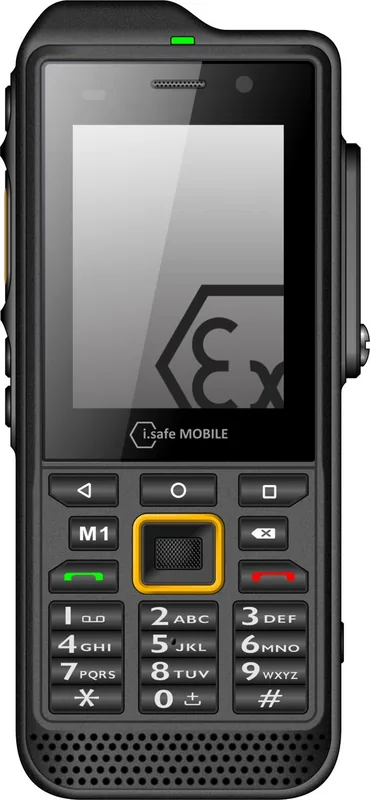
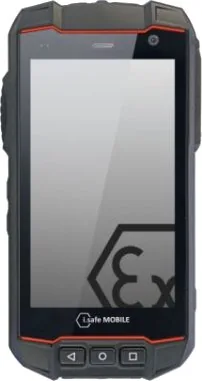
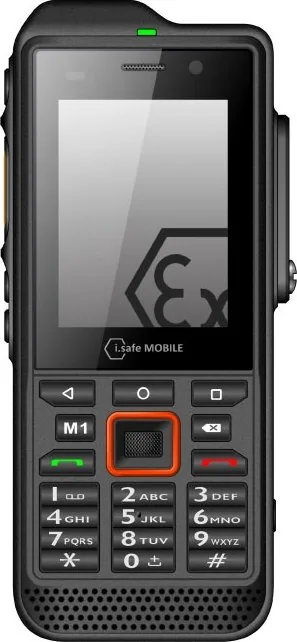
カテゴリ

Free i.Safe Mobile Manuals - Read, Download & Print
Introduction to Comprehensive Device Support
In the rapidly evolving landscape of mobile technology, having access to accurate and detailed documentation is essential for maximizing the utility of your device. The i.Safe Mobile series represents a commitment to safety, reliability, and user-friendly design, catering to individuals who prioritize secure communication and robust performance. Whether you are a new owner seeking to set up your phone or an experienced user looking to troubleshoot specific features, having the official manual at your fingertips is invaluable. This resource provides free access to i.Safe Mobile manuals, allowing users to read online, download for offline reference, and print physical copies for convenience. By offering these documents freely, we ensure that every user can navigate their device with confidence and ease.
The importance of owning a comprehensive guide cannot be overstated. Modern smartphones come packed with advanced features, security protocols, and customizable settings that may not be immediately intuitive. Without proper guidance, users might miss out on critical functionalities or inadvertently configure their devices in ways that compromise security. The i.Safe Mobile manual serves as a complete roadmap, covering everything from initial unboxing and setup to advanced troubleshooting and maintenance tips. It acts as a bridge between the manufacturer's technical specifications and the practical needs of the everyday user.
Understanding the i.Safe Mobile Ecosystem
Before diving into the specifics of the manual, it is helpful to understand what defines the i.Safe Mobile ecosystem. These devices are engineered with a focus on durability and data protection. Unlike standard consumer phones that may prioritize sleek aesthetics over ruggedness, i.Safe Mobile devices often feature reinforced casings, enhanced battery life, and specialized encryption tools designed for high-risk environments or users with strict privacy requirements. The operating system is typically customized to remove unnecessary bloatware while integrating proprietary security layers that protect against malware and unauthorized access.
The manual plays a crucial role in explaining these unique attributes. It details how to activate the various security modes, manage permissions for different applications, and utilize the hardware buttons designed for emergency situations. For instance, many i.Safe models include dedicated panic buttons or quick-dial features that are configured differently than on standard Android or iOS devices. The documentation provides step-by-step instructions on how to program these buttons to call emergency contacts or trigger silent alarms. Furthermore, it explains the nuances of the device's network capabilities, including support for dual SIMs, satellite connectivity options, and secure messaging protocols that are exclusive to the platform.
How to Access and Use the Manuals
Accessing the i.Safe Mobile manuals is designed to be a seamless experience. Users can visit the official resource portal to browse through a library of guides organized by model number and release year. Each entry in the library corresponds to a specific device variant, ensuring that the information provided is relevant and accurate. The interface allows users to filter documents based on their needs, such as quick start guides, full user handbooks, or technical service bulletins.
Once a document is selected, there are three primary ways to interact with it. First, users can read the manual directly in their web browser. This option is ideal for quick lookups where downloading is unnecessary. The digital version retains all the formatting, diagrams, and hyperlinks present in the original PDF, making navigation intuitive. Second, users have the option to download the file to their local storage. This is particularly useful for those who travel frequently or work in areas with limited internet connectivity. Having the manual stored on a smartphone, tablet, or laptop ensures that help is always available without needing an active data connection.
Third, the ability to print the manual offers a tangible benefit for many users. Some individuals prefer paper references when setting up complex configurations or sharing information with colleagues. The print-ready format ensures that text remains legible and images are crisp when transferred to physical media. Users can select specific chapters to print or generate a complete hard copy of the entire handbook. This flexibility caters to diverse preferences and working styles, making the resource accessible to everyone regardless of their preferred method of consumption.
Key Features Covered in the Documentation
The content within the i.Safe Mobile manuals is extensive and meticulously organized. One of the most significant sections is dedicated to the initial setup process. This includes instructions on how to insert the SIM card, charge the battery safely, and pair the device with other accessories like Bluetooth headsets or smartwatches. The guide also covers the installation of essential software updates and the configuration of biometric security features such as fingerprint scanners and facial recognition systems.
Security features receive special attention throughout the documentation. Detailed explanations are provided on how to use the encrypted messaging apps, manage virtual private networks (VPNs), and set up remote wipe capabilities in case the device is lost or stolen. The manual also addresses privacy settings, guiding users on how to control app permissions and limit data tracking by third-party services. For business users, there are specific chapters on managing enterprise accounts, configuring email clients for secure servers, and utilizing mobile device management (MDM) profiles.
Troubleshooting is another critical component of the manual. Common issues such as connectivity problems, battery drain, or software glitches are addressed with clear diagnostic steps. Users are taught how to perform soft resets, clear cache partitions, and recover lost data from backups. The guide also includes a FAQ section that answers frequent questions about warranty coverage, repair procedures, and compatibility with various accessories. Additionally, there are appendices containing technical specifications, regulatory compliance information, and contact details for customer support teams.
Maximizing the Value of Your Device
Utilizing the free i.Safe Mobile manuals effectively can significantly extend the lifespan and performance of your device. By following the maintenance recommendations found in the guide, users can prevent common hardware failures and keep the software running smoothly. Regularly updating the firmware as instructed ensures that the device benefits from the latest security patches and performance optimizations. Moreover, understanding the advanced features allows users to tailor the phone to their specific lifestyle, whether that involves heavy outdoor use, sensitive professional communications, or general daily tasks.
The availability of these resources underscores a commitment to user empowerment. When individuals have the knowledge they need to operate their technology correctly, they experience fewer frustrations and greater satisfaction with their purchase. The ability to read, download, and print these manuals removes barriers to information, ensuring that no user is left behind due to a lack of documentation. As technology continues to advance, the i.Safe Mobile team remains dedicated to providing transparent, accessible, and comprehensive support materials that meet the evolving needs of their global community.
In conclusion, the free i.Safe Mobile manuals are an indispensable tool for anyone owning one of these devices. They offer a wealth of information presented in a user-friendly format that supports reading, downloading, and printing. By leveraging these resources, users can unlock the full potential of their devices, ensuring security, efficiency, and longevity in their mobile experiences.
検索: 67,732 オンラインマニュアル


ブランド名またはモデルを入力