Manual.ly Logo

Black Diamond JetForce Pro 25 Toriatsukai-Setsumeisho

0.0 · 0 評価

PDFマニュアル · 71 ページ

日本語

M: OA-GPT-5-NAN
ページ

/ 71

Loading...
e19c6d458028af659ac21ae47a42c6cfb69a page 8
6
4. Align the replacement Zip-On Booster Pack (8a) with the zippers on JetForce
PRO Base Unit (8b) and engage both Booster Pack Zipper Pulls (8c) with the
corresponding Booster Pack Zipper Ends (8d).
5. Pull the Booster Pack Zipper Pulls (8c) around the pack to the desired position
for use as the main access zipper to the cargo compartment of the pack.
A WARNING! Do not use JetForce PRO without a Booster Pack attached.
TROUBLESHOOTING
In any system state (armed, charging, calibration), the JetForce PRO system pro-
vides comprehensive self-diagnosis. Warnings or errors are indicated with the red
System Status Light (1e), in conjunction with the blue Charge Status Lights (1f) for
differentiation (Figures 6-7):
1. Permanent solid red: Malfunction, initial deployment is not guaranteed – do not
enter avalanche terrain!
2. Permanent blinking red: Warning, battery charge insufficient. Deployment is
possible, but may cause damage to the battery.
3. Temporary blinking red for 3 seconds after arming then system proceeds as
usual: self-test error with deployment-unrelated malfunction, deployment cycle
is not affected.
To troubleshoot the system, follow these steps in order. Check for normal opera-
tion after each step:
1. Turn the system off and turn it back on.
2. Connect the Charging Plug (1h) to the Charging Power Supply (1o) and
leave system connected until you see 4 solid blue Charge Status Lights (1f).
Afterwards disconnect and arm the system.
3. Confirm that the battery attachment screws are tight. Tighten if battery is
loose.
4. Use “System Check” in the Pieps app for detailed troubleshooting. The app
also provides a detailed explanation of status light indications. Follow the
instructions and advice in the app. To connect the system to a device with
Bluetooth technology, refer to “BLUETOOTH CONNECTION” section of this
manual.
5. Contact your pack manufacturer´s service center for assistance.
WARNING/ERROR INDICATIONS:
Type Indication Required Action
Battery charge
warning
Blinking RED
No GREEN
Blinking BLUE #1
(RED & BLUE alternating)
Recharge battery
Battery charge
temperature
warning
Blinking RED
No GREEN
Blinking all 4 BLUE
(2x blink, 2x pause)
(RED & BLUE
synchronous)
Make sure that the system is
charged at room temperature.
Leave the system connected
to power supply until the bat-
tery temperature is inside the
allowed charge temperature
range and charging starts
automatically.
Calibration result
error / battery
health not
acceptable
Solid RED
No GREEN
Solid BLUE #1
Battery needs to be replaced
Bluetooth
activation error
Solid RED
No GREEN
Blinking Blue #1, 2
alternating
Stop the indication by using
the disarming process and
activate Bluetooth again. If
you continue to see this error,
contact your pack manu-
facturer´s service center for
assistance.
CARE AND MAINTENANCE
• The JetForce PRO Backpack must not come into contact with corrosive
materials such as battery acid, battery fumes, solvents, chlorine bleach,
antifreeze, isopropyl alcohol or gasoline.
• If you need to clean your pack, use a damp cloth and mild detergent to spot
clean the specific area. Take care to not get the pack overly wet. When finished
cleaning, open any affected pockets, hang the pack, and allow to air dry prior
to use.
• Do not crush, puncture or subject the battery to excessive mechanical shock
or vibration.
• Inspect the Lithium-Ion Battery (1g) regularly for cracking, swelling or other
physical damage and replace damaged units immediately.
• The JetForce PRO battery has been engineered to perform optimally at very
cold temperatures and has an internal charging circuit that maintains the
health of the battery; however, all Lithium-ion batteries, no matter how well
they are controlled, are subject to deterioration over time and with use. Storing
the battery for a long period of time at full charge and/or at high temperatures
are the easiest ways to permanently decrease the capacity and health of the
battery. Additionally, do not allow your battery to deep discharge. Running the
system when the battery is showing no blue lights may damage the battery.
• Battery health can be greatly extended by doing the following:
1. Disarm the system whenever not in avalanche terrain.
2. Charge the battery frequently during normal, regular use. As with all Lithium-
ion batteries, it is ideal to maintain a charge of 100% (4 blue lights) when
being used regularly. Avoid full discharge
3. Store the JetForce PRO pack in a cool (< 23°C/73°F), dry environment at
75%-90% (3 blue lights) battery charge when not being used regularly.
4. While the overall system will function up to 45° C [113°F], battery deterioration
is accelerated at temperatures higher than 23°C [73°F].
• System Check: The Pieps app can be used at any time to verify that your
JetForce PRO system is functioning properly.
• Battery Calibration: It is recommended to perform a battery calibration once a
year, after the skiing season. Battery calibration allows you to evaluate battery
health and helps to provide the most accurate charge level indication.
1) Start calibration with a low battery charge level (1 blue light) as the system
needs to empty the battery before recharging.
2) Connect the Charging Plug (1h) to the Charging Power Supply (1o) and wait
for system to begin charging.
3) Press and hold (~3 seconds) the red Power Button (1d) until you hear the
motor running with low power. The lights indicate Calibration => no red, blink-
ing green, cycling blue outside/inside.
4) The calibration routine ends with a result indication:
• Very good: no red, blinking green, solid blue #1-4
• Good: no red, blinking green, solid blue #1-3
• Acceptable: no red, blinking green, solid blue #1-2
• Not acceptable: solid red, no green, solid blue #1
(recommendation for battery replacement)
STORAGE & TRANSPORT
Storage
• Always store the JetForce PRO Backpack and all components (battery,
charger) in a cool (< 23°C/73°F), dry location, out of direct sunlight, and away
from heat sources.
• Prevent damage from sharp objects, animals, corrosive materials and mildew.
• When storing the pack for 1 day to 5 weeks, the pack should be disarmed with
a 100% battery (4 blue lights).
• When storing the pack for 5 weeks and longer, the pack should disarmed and
put into Storage mode (see Disarming the system) with 75% - 90% battery (3
blue lights).
Transport
• Ensure the system is disarmed and the Deployment Handle (1c) is stowed
before riding a ski lift, tram, airplane, helicopter, snowcat or any vehicle and
before entering small, confined spaces.
• Protect the JetForce PRO Backpack from sharp objects, abrasion and
crushing forces during transportation.
• The JetForce PRO Backpack uses a Lithium-Ion battery similar to most
laptop computers. For commercial airline travel, always check current travel
regulations before your trip.
• http://safetravel.dot.gov/index_batteries.html
• http://www.iata.org/whatwedo/cargo/dgr/Pages/lithium-batteries.aspx
• Transporting a damaged Lithium-Ion Battery (1g) may be prohibited and is not
recommended. Always inspect the battery according to the guidelines outlined
in these instructions and be sure to heed the specific warnings.
INSPECTION, RETIREMENT AND LIFESPAN
Inspection
Inspect your gear for signs of damage and wear before and after each use. If you
deploy your airbag in an avalanche, perform a thorough inspection before using
the system again.
1. Inspect the airbag for punctures or tears.
2. Inspect the Fan Housing (5a) for cracks.
3. Inspect the Deployment Handle (1c) for dents, cracks or exposed wires.
4. Inspect the Lithium-Ion Battery (1g) for dents, cracks or signs of swelling.
5. Inspect the wiring for exposed conductors or weakened connections with the
other components.
6. Inspect the backpack for punctures or tears.
7. Inspect the backpack shoulder straps, leg strap, and waist belt for tears or
damaged stitching.
8. After repacking the airbag, arm the system to confirm proper operation.
If inspection reveals signs of damage or if you have any doubts about the depend-
ability of your JetForce PRO Backpack, contact your pack manufacturer’s cus-
tomer service center.
Retirement
Damaged gear must be repaired prior to use or retired and destroyed to prevent
future use.
Contact your pack manufacturer’s customer service center if:
• The JetForce PRO Backpack’s electronic system does not arm properly
or does not deploy the airbag properly. Perform the procedures in the
Troubleshooting section of this manual before contacting your pack

AIを使用して Black Diamond JetForce Pro 25 のマニュアルとチャットする

Black Diamond JetForce Pro 25 のマニュアルからAIによる即時回答を取得

Black Diamond JetForce Pro 25に関する質問なら何でもどうぞ。回答はこのマニュアルから提供され、根拠となるページも表示されます。

JetForce Pro 25 メンテナンススケジュール

メンテナンス時期を通知する
Jährlich
Batteriekalibrierung durchfuhren

Kalibrieren Sie die Batterie einmal pro Jahr nach der Skisaison, um den Gesundheitszustand zu bewerten und eine genaue Ladeanzeige sicherzustellen.

マニュアルに表示 (8ページ)
Vor und nach jeder Verwendung
Ausrustung auf Schaden uberprufen

Prufen Sie Airbag, Geblasedehaus, Auslosetgriff, Batterie, Verdrahtung, Rucksackstoff und Gurte vor und nach jeder Verwendung auf Risse, Risse oder Schwellungen.

マニュアルに表示 (8ページ)

無料メンテナンスリマインダー

購入日に合わせてお知らせします。常に無料で、いつでも配信停止できます。

送信することで、プライバシーポリシーに同意したものとみなされます。メール内のワンクリックでいつでも配信停止できます。
M: QW-35-FL

質問を<\/span>する<\/span><\/span>

0/1000

JetForce Pro 25 をおすすめしますか?

はい いいえ

よくある 質問

A

展開ハンドルを引くとファンが作動します:9秒間のフルパワー膨張バーストの後、約3分間断続的な補充を伴う低速動作を行います。約3分後にエアバッグは収縮し、システムは自動的に待機モードに戻ります。膨張は手動で中断できます。

この回答は役に立ちましたか?

A

電源ボタンをタップして充電LEDを表示します:青4灯=満充電、3〜2灯=部分充電、1灯=-30°Cで少なくとも1回の展開に相当します。雪崩地帯に向かう前に満充電でない場合は充電してください。赤点滅+青1灯は充電不足を示します―雪崩地帯には入らないでください。

この回答は役に立ちましたか?

A

付属のGlobTek GTM91120-3024-T2電源のみで充電してください。充電温度は0°C〜45°Cで行ってください(32°F〜113°F)。この範囲外での充電は温度警告を引き起こし、温度が範囲に戻ると自動で充電が再開されます。

この回答は役に立ちましたか?

A

できます—ディスアーム状態で3秒以内に電源ボタンを5回押してBluetoothモードに入ります。Piepsアプリ(Bluetooth 4.0+)はシステムチェック、ファームウェア更新、キャリブレーションガイダンス、トラブルシューティングを提供します。アプリの指示に従ってチェックと更新を完了してください。

この回答は役に立ちましたか?

A

1日〜5週間:バッテリー100%(青4灯)でディスアームしてください。5週間以上:バッテリーを75%〜90%(青3灯)にしてストレージモードでディスアームしてください。直射日光の当たらない涼しく(<23°C/73°F)乾燥した場所で保管し、熱源から離してください。

この回答は役に立ちましたか?

A

エアバッグの穴、ファンハウジングと展開ハンドルの損傷、配線の露出導体、バッテリーの膨れや損傷、ストラップの摩耗を点検してください。再梱包後にシステムを起動して正常動作を確認してください。疑問や故障がある場合は製造元のサービスに連絡してください。

この回答は役に立ちましたか?

A

システムは50回の完全展開で認証されています。通常の使用での一般的な寿命は約5年、製造からの最大サービス寿命は10年です。展開回数の上限、最大年齢に達した場合、または損傷がある場合は、パックは引退され再使用を防ぐために破棄されなければなりません。

この回答は役に立ちましたか?

M: OA-GPT-5-NAN

利点 および 欠点

利点

  • 改善された浮力のための9秒のフルパワーバーストと3分の持続/補充サイクルを備えたファン駆動の膨張。
  • 展開ハンドル上の組み込み自己診断と明確なLEDステータス表示。
  • Piepsアプリ経由のBluetooth接続によりファームウェア更新、システムチェック、パラメータ調整が可能。
  • 貨物の柔軟性と簡単な交換を可能にするモジュラーのジップオンブースターパック。
  • 低温環境での性能を維持するよう最適化されたバッテリー。
VS

短所

  • 付属のGlobTek充電器と厳格な温度範囲(0〜45°C)に限定される充電は準備性を遅らせる可能性がある。
  • 取り外し可能なリチウムイオンバッテリーは注意深い点検、取り扱い、および最終的な交換が必要。
  • ファン作動は雪崩ビーコンと干渉する可能性があり、ビーコン配置を最小化する必要がある。
  • システムは50回の完全展開のみで認証されており、計画的な引退と交換が必要。
  • 初回充電は最大12時間かかる可能性があり、通常の再充電時間も事前の計画を必要とする。
M: OA-GPT-5-NAN

製品 仕様

タイプ

アバロンインチバックパック

容量

25 L

重量

2.87 kg

特徴

ハードシェル, ギアロープ, スキーホルダー, アバロンエアバッグ, キャリングシステム(パッド入り)

M: GO-GEM-FL-25

製品 説明

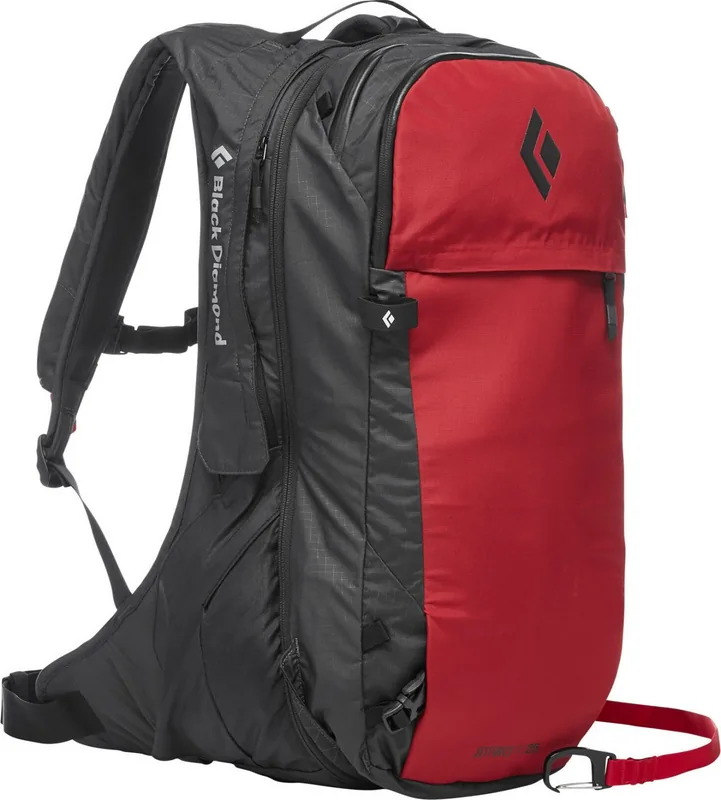
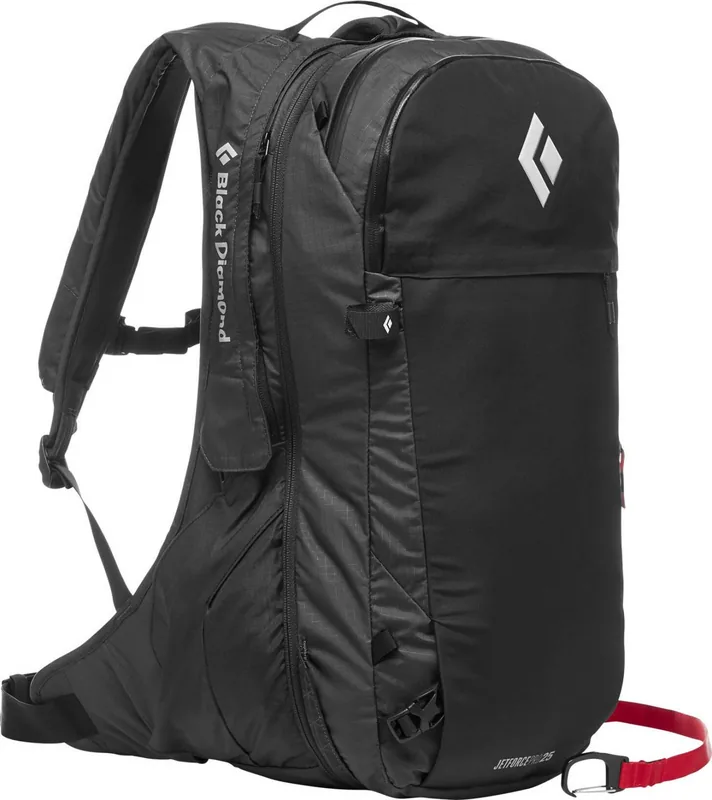
Black Diamond JetForce Pro 25 — 強力なファン方式の雪崩エアバッグ

Black Diamond JetForce Pro 25は、ライダーの有効体積を増やし雪崩時に表層付近に留まるのを助けるために設計された、ファン駆動式の雪崩エアバッグバックパックです。JetForce PROエアバッグシステムを中心に構築されており、充電式リチウムイオン電池、統合電子機器、堅牢なファン機構を組み合わせて、耐久性のあるエアバッグを迅速かつ確実に膨張させます。システムは起動時および使用中の自己診断、展開ハンドル上のステータスLED、およびファームウェア更新、システムチェック、パラメータ調整のためのPiepsアプリ経由のBluetooth接続機能を備えています。

パックのモジュール設計には貨物の柔軟性を提供するジップオンブースターパックと取り外し可能なバッテリーが含まれており、バッテリーは初期の高出力9秒間の膨張バーストを駆動し、その後は約3分間断続的に補充しながら低出力で動作します。重要なユーザー操作とインジケータは展開ハンドルに人間工学的に配置されています:電源ボタン、システム状態表示灯(待機時は緑点滅)、および充電状態LED。パックはショルダーストラップ、チェストストラップ、および推奨されるレッグストラップによるフィット感と保持力を重視しており、雪崩中にパックが引き裂かれる可能性を減らします。

包括的な安全指示では、JetForce Pro 25は補助的保護であり、雪崩トレーニングおよび従来の救助用具(ビーコン、ショベル、プローブ)と併用する必要があることを強調しています。ユーザーはバッテリーの充電、保管、輸送に関する規則を守る必要があります:付属のGlobTek GTM91120-3024-T2電源でのみ充電し、充電および保管の温度制限を守り、リチウムイオン電池の取り扱いガイドラインに従ってください。システムは短期スリープと長期保管の2つの手動ディスアームモード、バッテリー保護のための自動スリープおよび保管タイムアウト、およびバッテリー、キャリブレーション、Bluetoothの問題を診断するLEDエラー表示を含む明確なトラブルシューティングプロトコルを提供します。

メンテナンスと寿命に関する指針は詳細です:使用前後にエアバッグ、ファンハウジング、展開ハンドル、配線、バッテリーを点検し、腐食性化学物質、鋭利な物体、過度の高温への曝露を避け、推奨されるバッテリーキャリブレーションと保管充電レベルに従ってください。JetForce Proシステムは最大50回の完全展開まで認証されており、通常のパック寿命は約5年、製造からの最大使用期限は10年です。廃棄または損傷した場合、特にリチウムイオン電池は地元の規制に従って処分またはリサイクルする必要があります。

注意事項:

  • 展開と再梱包の手順を常に練習して、操作に習熟し信頼性を確保してください。
  • パックを改造しないでください。完全な履歴がわからない限り中古品は避けてください。
  • リフト、航空機、車両、狭い空間に入る前に展開ハンドルを収納しシステムをディスアームしてください。
  • ファンが作動している間はビーコンの干渉を最小限にするため、ビーコンを身体の前面に装着してください。

長所と短所

長所:

  • ファン駆動の膨張は複数回の補充バーストと制御された放気サイクルを可能にし、持続的な浮力を提供します。
  • 統合された自己診断とステータスLEDにより準備状況とエラーのフィードバックが明確です。
  • BluetoothとPiepsアプリの統合によりファームウェア更新、システムチェック、パラメータ調整が可能です。
  • モジュラーのジップオンブースターパックにより貨物の柔軟性と簡単な交換が可能です。
  • 低温性能を維持するよう最適化されたバッテリー設計。

短所:

  • 厳格な充電および温度制限が必要で、範囲外での充電は充電の遅延や不可能を招く可能性があります。
  • リチウムイオンバッテリーは注意深い取り扱い、点検、および寿命後の交換が必要です。
  • ファン作動中は雪崩ビーコンとの干渉の可能性があり、ビーコン配置が必要です。
  • 認証された展開回数(50回)により引退および交換計画が必要です。
  • 初回充電には最大12時間かかることがあり、通常の再充電時間も事前計画が必要です。

主な結果(最重要):

  • 急速膨張:9秒のフルパワーのファンバーストと、断続的補充を伴う3分の低出力動作により雪崩での表層保持を改善します。
  • 診断とインジケータ:待機時は緑点滅;赤/青のLEDパターンは充電、エラー、キャリブレーション状態を示します。
  • バッテリーと充電:取り外し可能なLi-ionパック(28.8 V DC、2.0 Ah/57.6 Wh)は付属のGlobTek GTM91120-3024-T2でのみ充電;充電温度は0〜45°C。
  • 寿命と引退:50回の完全展開で認証、通常寿命は約5年、製造からの最大サービス寿命は10年。
  • 安全と統合:ビーコン、ショベル、プローブと併用する必要があり、詳細なシステムチェックとファームウェア用にBluetooth Piepsアプリがあります。
M: OA-GPT-5-NAN

© Copyright 2026 Manual.ly
